Non-Inventory Purchase Help Guide
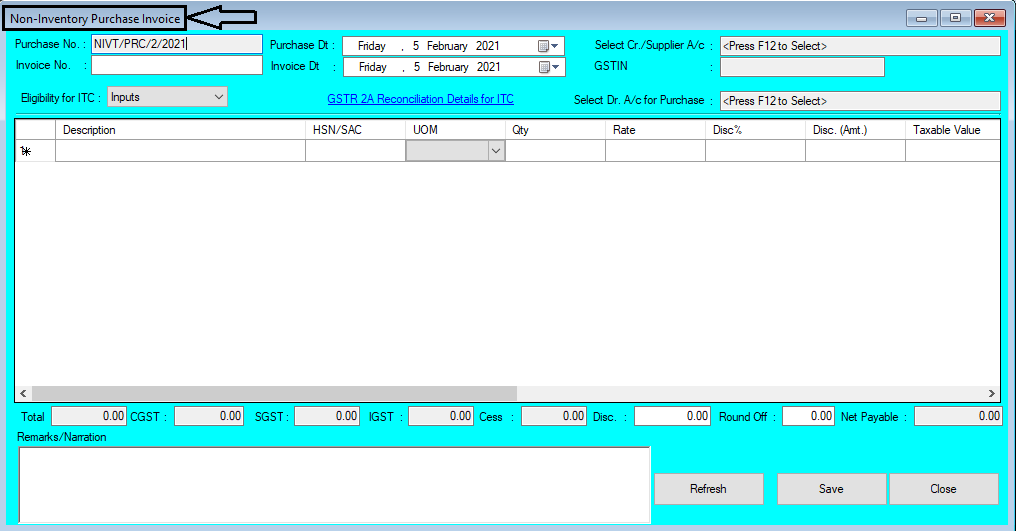
How to Create/Modify/Cancel Non-Inventory Purchase in Chanakya ERP Create Non-Inventory Purchase Click on Non-Inventory Purchase in Accounts Menu to open Non-Inventory Purchase option (as shown in below image). Purchase Number ( which is Generated Automatically or can be set in Document Number Settings ), Purchase Date (select the date of Purchase) Invoice Number will be Entered ( Which will be given by Supplier ) and Invoice Date will be Set According to Supplier Bill date , as shown in below image Press "F12" key to Select Cr./Supplier A/c with whom Your are Purchasing Non-Inventory Item, Supplier Should have Valid GSTIN Number, without GSTIN Number Supplier will be not Valid for Non-Inventory Purchase, Press "F12" to Select Dr. A/c for Purchase for Non-Inventory Purchase Item, as shown in below image Select Eligibility For Input Credit , ITC ( Inputs, Capital Goods, Input Services & Ineligible ), as ...